
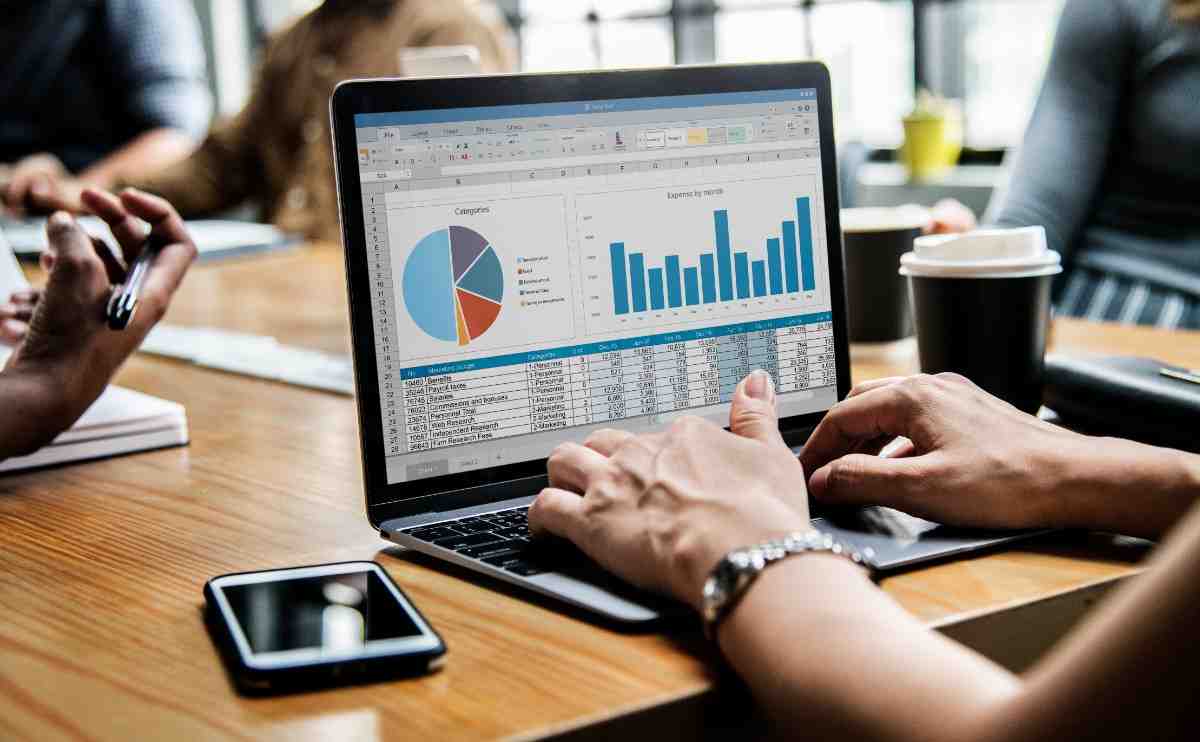
Discover how Accounting Automation Software simplifies invoicing, expense tracking, financial reporting, and business operations. Explore how X-OPP helps businesses reduce manual tasks, improve financial accuracy, streamline workflows, and enhance overall efficiency through intelligent accounting solutions.

Managing business finances efficiently is essential for maintaining accuracy, improving productivity, and supporting sustainable growth. Traditional accounting methods often involve manual data entry, repetitive calculations, and time-consuming financial reporting. These processes can increase administrative workloads and create opportunities for errors.
Accounting Automation Software helps businesses simplify financial operations by automating routine accounting tasks, organising financial information, and improving visibility into business performance. From invoice processing and expense tracking to financial reporting and payment management, accounting automation enables organisations to maintain more efficient financial workflows. Businesses adopting modern accounting technology can reduce manual effort, strengthen financial controls, and make informed decisions using reliable financial information.
What Is Accounting Automation Software?
Accounting Automation Software is a digital solution designed to automate repetitive financial and accounting activities. It uses predefined workflows, business rules, and integrated systems to process financial information with minimal manual intervention.
Unlike traditional accounting processes that rely heavily on spreadsheets and manual records, automated accounting solutions help businesses manage financial transactions through centralised digital platforms. These platforms capture, categorise, and process data in a structured way, reducing the need for repeated human input on routine tasks.
Common accounting automation functions include automated invoice generation and processing, expense recording and categorisation, accounts payable and receivable management, financial reporting and analysis, payment tracking and reconciliation, financial data organisation, and approval workflows with transaction monitoring. These capabilities allow finance teams to focus on financial planning, business analysis, and strategic decision-making rather than repetitive administrative activities.
By shifting routine work to automated systems, organisations create more consistent processes and free skilled staff to contribute higher-value insights.
Why Businesses Need Accounting Automation Software
As businesses grow, the volume of financial transactions, invoices, payments, and operational expenses increases. Managing these activities manually becomes increasingly challenging, particularly for organisations handling multiple departments, projects, or business locations.
Accounting automation helps companies establish structured financial processes while maintaining consistency across accounting activities. Automated financial systems can improve operational efficiency by reducing repetitive tasks and creating standardised workflows. They also support better collaboration between finance departments and other business functions.
For businesses operating in competitive markets, accounting automation provides greater control over financial information and enables quicker access to important business insights. When data is organised and accessible, managers can respond faster to changing conditions, monitor cash flow more effectively, and maintain clearer oversight of obligations and receivables.
The need becomes more pronounced as companies expand. Manual methods that work for a small team often create bottlenecks and higher error risk once transaction volumes rise. Automation offers a practical way to scale financial operations without a matching increase in administrative headcount.
Key Features of Accounting Automation Software
Modern accounting automation platforms provide capabilities designed to simplify financial management and improve accounting accuracy. The following features are commonly available and form the foundation of effective systems.
1. Automated Invoice Management
Invoice automation helps businesses create, organise, track, and process invoices efficiently. Automated workflows can reduce repetitive data entry and support timely invoice approvals. Systems can generate invoices from templates or recurring schedules, apply consistent numbering, and route documents for review according to predefined rules. This shortens the cycle from billing to payment and reduces the chance of missing or duplicated invoices.
2. Expense Tracking and Management
Businesses can monitor operational expenses, categorise transactions, and maintain organised expense records. This improves expenditure visibility and supports budget management. Employees or managers can submit expenses through digital forms, attach supporting documents, and apply category tags. Automated matching and categorisation help keep records accurate and ready for review or reporting.
3. Financial Reporting
Automated financial reporting tools help generate consistent financial summaries using recorded transaction data. Finance teams can review business performance without repeatedly preparing reports manually. Reports can be scheduled, filtered by period or department, and produced in standard formats so that stakeholders receive timely, comparable information.
4. Accounts Payable and Receivable
Accounting automation supports the monitoring of supplier payments, outstanding invoices, and customer receivables. Structured workflows help businesses manage payment obligations effectively. The system can flag due dates, track partial payments, and provide clear status views so teams can prioritise follow-ups and maintain healthier cash flow.
5. Financial Data Integration
Integration with business management applications can improve information consistency across departments. Connected systems reduce duplicate data entry and support coordinated financial operations. When sales, purchasing, or project data flows into the accounting platform, the risk of mismatched records decreases and overall data quality improves.
6. Approval Workflow Automation
Automated approval processes help organisations establish clear responsibilities for expense requests, invoices, and financial transactions. Rules can route items to the appropriate reviewers based on amount, department, or type of transaction. This creates an auditable trail and helps ensure that only authorised actions proceed.
Together, these features contribute to a more structured and reliable accounting environment. They work best when configured to match the organisation’s actual processes rather than forcing rigid, one-size-fits-all procedures.
Benefits of Implementing Accounting Automation Software
Implementing Accounting Automation Software offers several operational advantages for organisations seeking greater financial efficiency.
Improved Accounting Accuracy
Automated calculations and standardised processes help reduce common manual accounting errors. Consistent data handling improves the reliability of financial records. When rules and validations are applied systematically, the likelihood of calculation mistakes, mis-categorisation, or overlooked entries declines.
Increased Employee Productivity
Finance professionals can spend less time performing repetitive tasks and more time analysing financial performance, preparing forecasts, and supporting business decisions. Removing routine data entry and report assembly frees capacity for higher-value work that directly supports planning and strategy.
Better Financial Visibility
Centralised accounting information provides management teams with clearer insights into business expenses, outstanding payments, and financial activities. Real-time or near-real-time views of key figures help leaders understand the current position without waiting for end-of-period consolidations.
Faster Financial Processes
Automated workflows can accelerate invoice processing, expense approvals, and routine financial reporting. Shorter cycle times improve responsiveness to suppliers and customers and reduce the administrative lag that often accompanies manual methods.
Stronger Financial Controls
Defined approval procedures, transaction records, and user permissions can improve accountability and support internal financial governance. Clear audit trails make it easier to review who authorised what and when, which strengthens compliance and internal oversight.
Scalable Business Operations
As transaction volumes increase, automation helps businesses manage additional financial activities without proportionally increasing administrative workloads. The same system can handle higher volumes of invoices, expenses, and reports with limited additional effort from the finance team.
These benefits make automated accounting systems valuable for growing organisations that need reliable processes without constantly expanding headcount in administrative roles.
How Accounting Automation Software Improves Financial Reporting
Accurate financial reporting is essential for understanding business performance and identifying opportunities for operational improvement. Manual reporting often requires collecting information from different departments, reviewing spreadsheets, and consolidating financial records. This approach is time-consuming and prone to version-control problems or incomplete data.
Accounting Automation Software simplifies these activities through organised data management and automated reporting workflows. Transaction data is captured once and remains available for multiple report types. Businesses can use automated financial reporting capabilities to monitor income and operational expenses, analyse financial performance across departments, track outstanding payments and receivables, support budgeting and financial forecasting, generate periodic financial summaries, and improve management reporting efficiency.
By providing access to organised financial information, accounting automation supports better planning and more informed business decisions. Reports become more consistent because they draw from the same underlying data set, and the time required to produce them decreases significantly. Teams can focus on interpreting the numbers rather than assembling them.
Accounting Automation Software for Different Industries
Accounting automation is relevant to organisations across multiple industries, particularly businesses managing complex financial operations. While the core functions remain similar, the practical application often reflects industry-specific needs.
Real Estate
Property management companies can use accounting automation to organise expenses, track transactions, and improve financial administration. Recurring rents, maintenance costs, and multi-property reporting benefit from structured workflows and clear categorisation.
Retail and E-commerce
Retail businesses can streamline invoice management, transaction recording, and financial reporting. High volumes of sales and supplier invoices are handled more efficiently when data entry and matching are automated.
Healthcare
Healthcare organisations can improve administrative accounting workflows, expense monitoring, and financial record management. Clear tracking of operational costs and supplier payments supports better oversight of non-clinical financial activities.
Construction
Construction companies can track project-related expenses, supplier invoices, and financial activities across different projects. Project-level visibility helps monitor costs against budgets and manage payments tied to specific jobs.
Professional Services
Consulting firms and service providers can automate routine invoicing, expense recording, and financial reporting processes. Time-based or milestone billing, expense recovery, and client-level reporting become more consistent and less labour-intensive.
Each industry can benefit from workflows tailored to its accounting requirements and operational structure. The most effective implementations adapt the software’s rules and categories to match how the business actually operates.
How to Choose the Right Accounting Automation Software
Selecting suitable accounting software requires evaluating business processes, financial requirements, and long-term operational goals. A careful assessment reduces the risk of adopting a tool that is either too limited or unnecessarily complex.
Important factors include ease of use and accessibility, automation capabilities, financial reporting functionality, integration with existing business applications, data security and access controls, workflow customisation, and scalability and technical support. Businesses should assess whether the software can accommodate existing accounting procedures while supporting future operational changes.
Consider how easily staff will learn the system and whether the interface supports the way teams already work. Review the depth of automation for the specific tasks that consume the most time. Confirm that reporting options meet both internal management needs and any external requirements. Check integration options so that data does not have to be re-entered across systems. Evaluate security features and permission controls to protect sensitive financial information. Look for the ability to adjust approval rules and categories as processes evolve. Finally, ensure the vendor provides reliable support and that the platform can grow with the organisation.
A structured implementation strategy, including employee training and financial data validation, can also contribute to successful adoption. Pilot testing with a subset of processes often reveals practical issues before a full rollout.
The Future of Accounting Automation
Accounting automation continues to evolve alongside advancements in cloud technology, artificial intelligence, and integrated business management systems. Modern financial technology increasingly focuses on intelligent document processing, automated transaction classification, financial analytics, and streamlined approval workflows.
These developments can help organisations reduce administrative complexity while improving access to financial information. Cloud platforms make systems accessible from multiple locations and support collaboration. Intelligent classification can speed up the handling of invoices and expenses by suggesting categories based on patterns. Analytics tools turn recorded data into clearer performance views. Streamlined approvals keep processes moving without constant manual chasing.
However, automation does not eliminate the need for accounting professionals. Human oversight remains essential for financial interpretation, compliance, transaction verification, and strategic planning. Technology handles volume and consistency; people provide judgement, context, and decision-making. The strongest results come from combining reliable automated processes with skilled review and analysis.
Conclusion
Accounting Automation Software plays an important role in modern financial management by simplifying repetitive tasks, improving financial visibility, and supporting efficient business operations. Organisations adopting accounting automation can strengthen financial workflows, improve reporting consistency, and reduce dependence on manual accounting procedures.
The shift from purely manual methods to automated systems helps finance teams work more productively, maintain better controls, and provide clearer information to decision-makers. When implemented thoughtfully and paired with appropriate human oversight, these tools support sustainable growth and more reliable day-to-day financial management.
X-OPP supports businesses seeking to modernise their operations through integrated digital business management solutions. By bringing important operational and financial workflows into a more connected environment, X-OPP helps organisations work toward improved efficiency, better coordination, and sustainable business growth.
Explore X-OPP today to discover how digital business management solutions can support your organisation’s financial and operational transformation.
Frequently Asked Questions (FAQs)
1. What is Accounting Automation Software?
Accounting Automation Software automates repetitive accounting activities, including invoicing, expense tracking, payment management, and financial reporting.
2. How does accounting automation improve business efficiency?
It reduces manual data entry, streamlines financial workflows, minimises routine errors, and helps finance teams complete accounting activities faster.
3. Is Accounting Automation Software suitable for small businesses?
Yes. Small businesses can use accounting automation to organise financial records, simplify invoicing, monitor expenses, and support business growth.
4. Can Accounting Automation Software improve financial reporting?
Yes. It helps organise transaction information and generate consistent financial reports, improving visibility into business performance.
5. What should businesses consider before implementing accounting automation?
Businesses should evaluate automation features, integration capabilities, data security, reporting requirements, scalability, and employee training needs.
Turn lead response into a system.
Automatically route new leads, prioritize follow-ups and keep your sales team accountable without adding another layer of manual work.